Guide
Flyby, slingshot or capture
Ask Asterion to design a flyby, a slingshot or a capture around a star system, and see what each one takes. Needs a free account.
You will work in the workspace at /app. Open it in another tab and follow along.
Every step was followed by hand in the workspace on 2026-10-21, version 1.0.0-beta.817.
Stop 1 of 3
Ask for a flyby
Free account needed. A free account gets 25 questions a day.
- Start with a star system in the scene, such as the one from Have Asterion build a system.
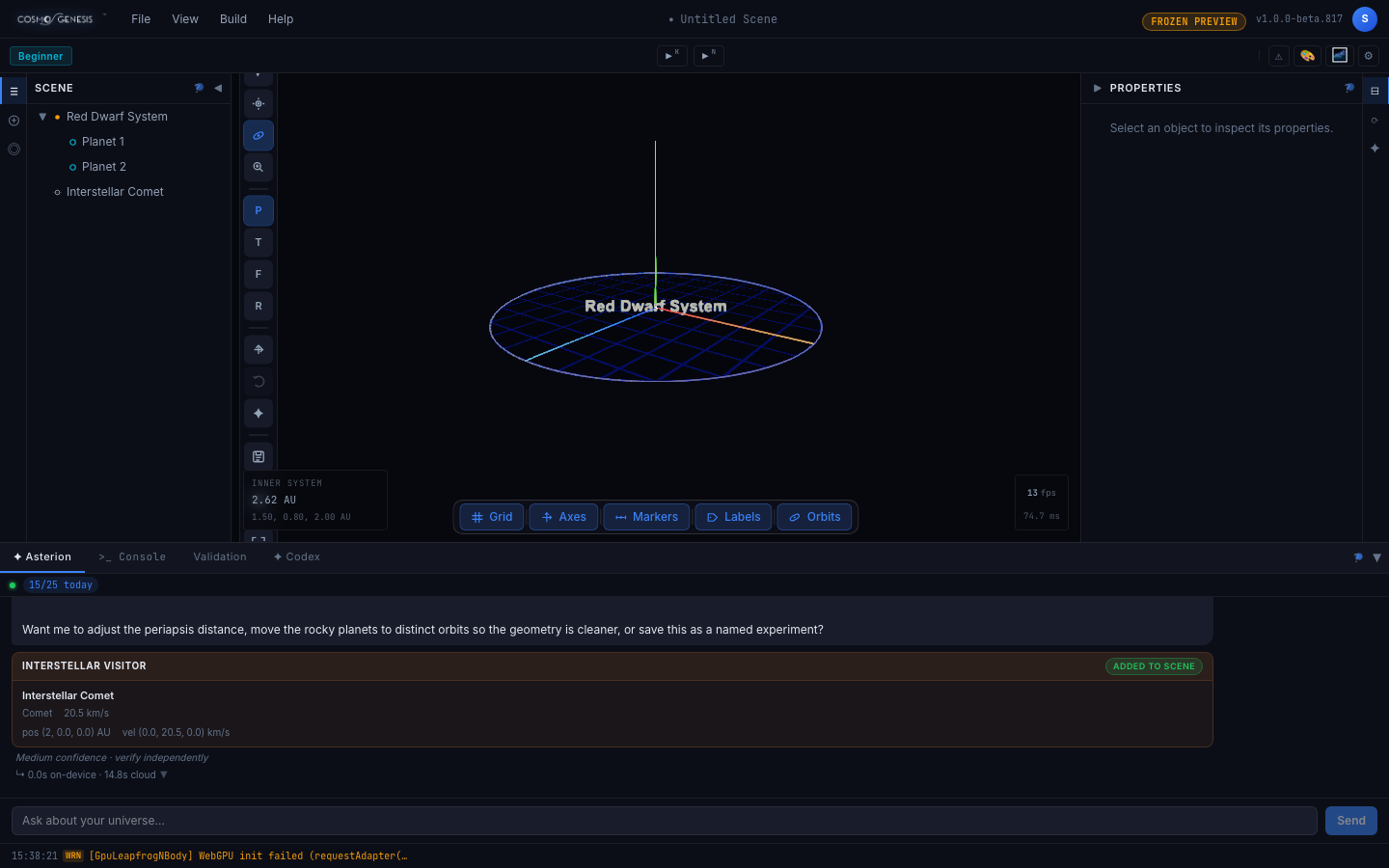
- In the Asterion tab, type: Design a flyby of an interstellar comet through this system. Then choose Send.
What you should see. An Interstellar Comet appears in the Scene list outside the system, and the reply ends in an Interstellar visitor card marked Added to scene. The reply describes the visitor's path past the star and offers to change how close it passes.
Stop 2 of 3
Ask for a slingshot
Free account needed
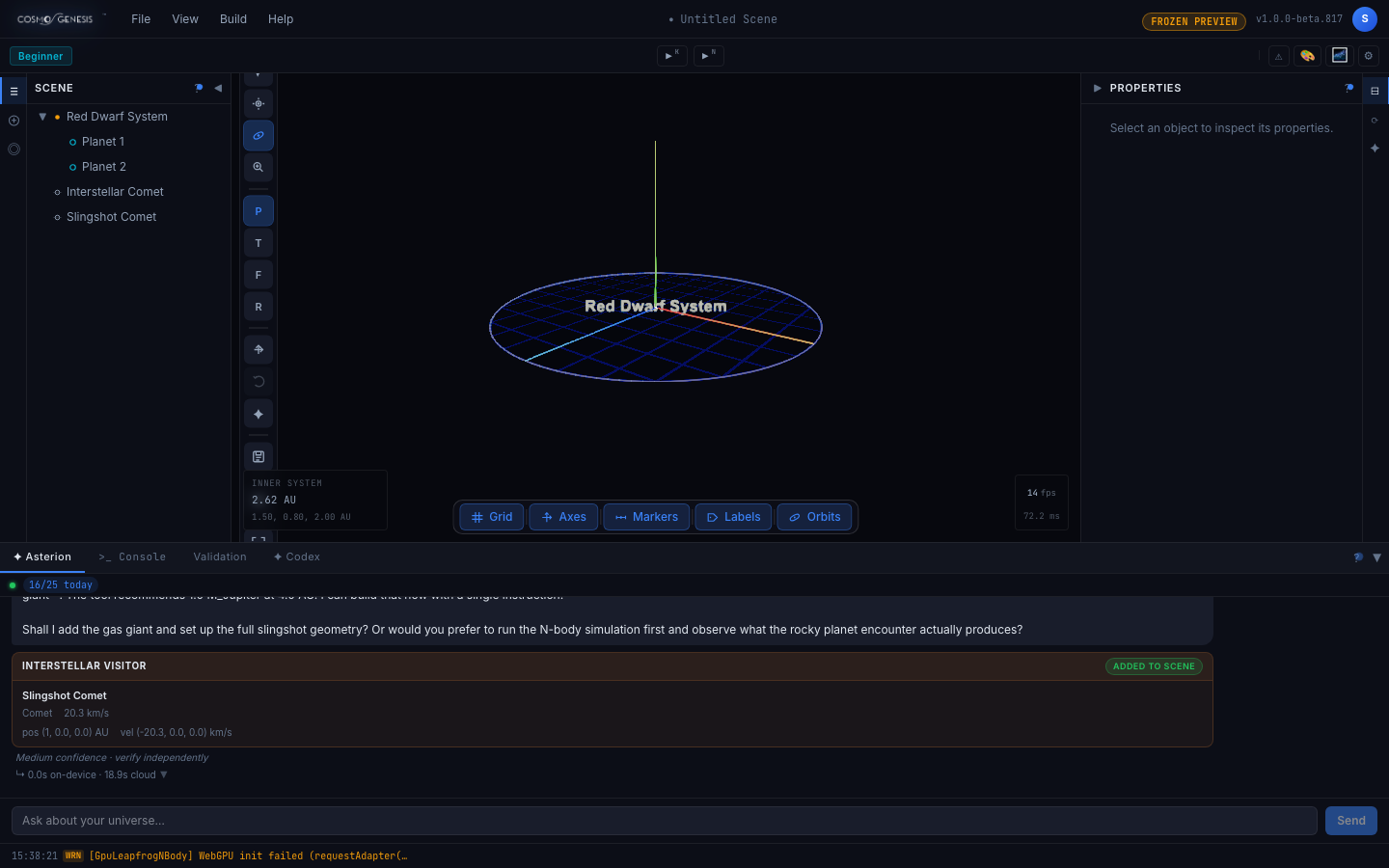
- With the same scene, type: Design a gravitational slingshot for the visitor around one of the planets. Then choose Send.
- Read the end of the reply, then stop before answering it.
What you should see. A second visitor, called Slingshot Comet or Slingshot Visitor, joins the Scene list. Asterion explains that a slingshot needs a massive planet, says rocky planets give only a small effect, and offers to add a gas giant. Do not accept that offer in a scene that already holds the system. The workspace then asks whether to add a system whose name is already in use, and choosing Add Anyway adds a second copy of the whole system with the giant in the copy, leaving the first copy as it was. The next stop builds a gas giant into a clean scene instead.
Stop 3 of 3
Ask for a capture
Free account needed
- Choose File, then New Scene. A capture builds its own star, gas giant and visitor, so it starts from an empty scene.
- In the Asterion tab, type: Design a capture of an interstellar visitor by a gas giant. Then choose Send.
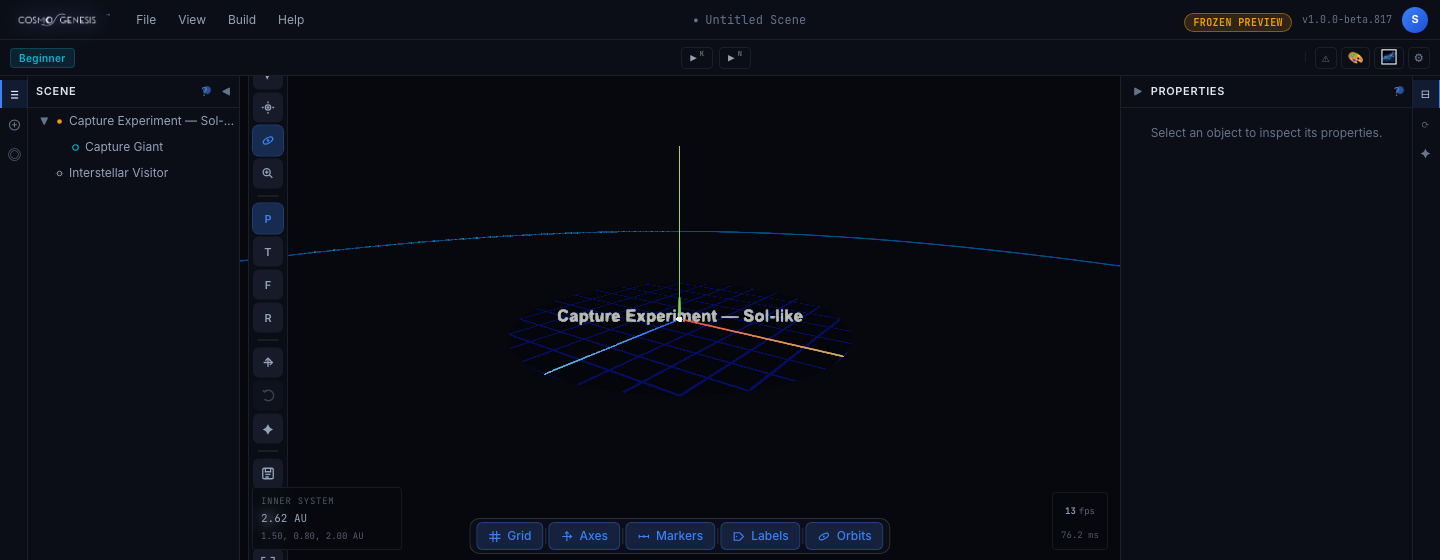
- Asterion first asks three questions: how fast the visitor arrives, how close it passes the star, and how massive the gas giant is. Type: Use the defaults. Then choose Send.
What you should see. The Scene list shows a Capture Experiment system with a gas giant, Capture Giant, inside it, and a separate Interstellar Visitor. Asterion's reply says what it placed and that a capture is not guaranteed. It tells you to run the scene under full gravity, as in Your first star system, because the encounter only works out that way. Whether the visitor ends up held by the giant is for you to judge from its path.
At the end you have
A visitor on a flyby, a second on a slingshot, and a gas giant set up to try to capture a visitor, and a clear idea of what the workspace can and cannot yet tell you about whether a capture happens.
What capture does today
Capture works in the integration: a moon or other body can pass from one object into orbit around another.
The workspace does not yet detect a capture for you dependably. On the roadmap, this is planned: Dependable detection of capture events, and verified behavior across several interacting systems in one scene.
More guides are being planned. The roadmap says what is here and what is on the way.