Guide
Ask Asterion about an object
Pick a planet or star in the workspace, put a question about it to Asterion, and learn how to read what comes back. Needs a free account.
You will work in the workspace at /app. Open it in another tab and follow along.
Every step was followed by hand in the workspace on 2026-10-21, version 1.0.0-beta.817.
Stop 1 of 3
Select an object
Free account needed. Signed out, the Asterion tab asks you to sign up for free beta access, and nothing can be asked.
- Sign in to the workspace at /app with a free account. You can create one at /signup.
- In the narrow bar down the left edge, choose the middle icon, Build, then choose Explore the Sol System.
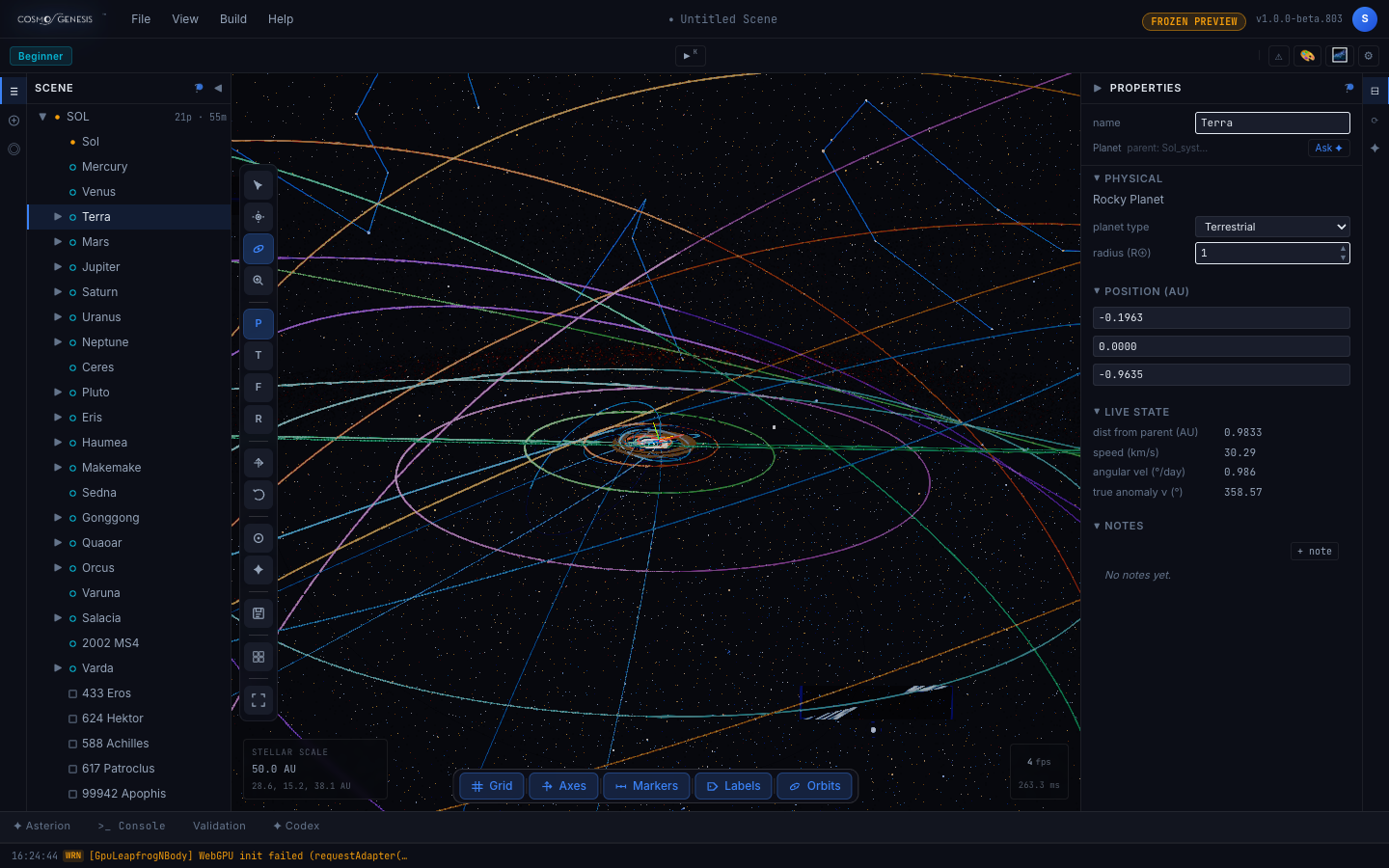
- In the Scene list on the left, choose Terra.
- If the right panel still shows Orrery, choose the Properties icon at the top of the narrow bar on the right edge.
What you should see. The Properties panel shows Terra's name and, beside its type and parent, a small Ask button.
Stop 2 of 3
Ask your question
Free account needed. A free account gets 25 questions a day.
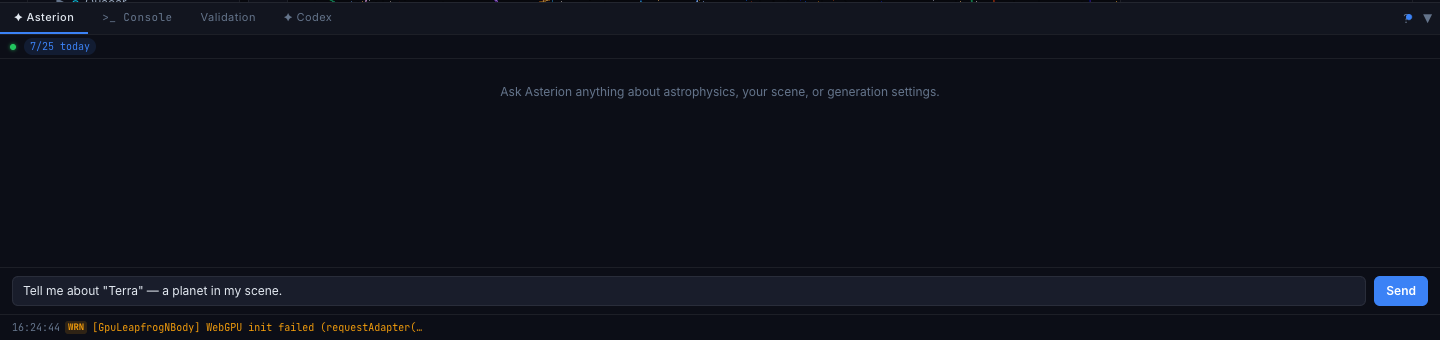
- Choose Ask. The Asterion tab opens at the bottom with a question about Terra already typed in. Choosing Ask does not send it.
- Change the question if you like, then choose Send.
What you should see. After a few seconds an answer appears in the Asterion tab. A counter at the top of the tab, such as 7/25 today, shows how many of your daily questions you have used.
Stop 3 of 3
Read the answer and its confidence
Free account needed
- Read the answer in the Asterion tab. It is longer than the tab, so scroll down for the rest.
- Look just under the answer for a small grey note.
What you should see. The answer describes the object from the data in your scene, and may draw on Asterion's own knowledge base as well. Under it you will see a small grey line of timing, such as 0.0s on-device · 9.9s cloud. When we asked about Terra, Sol and Mars to check this guide, none of the three answers showed a confidence note. The app is built to add one when Asterion is less sure, Low confidence or Medium confidence followed by verify independently, and we have seen Medium confidence, verify independently under replies to build requests, so a note under an answer is possible. Either way, check anything that matters against a second source.

At the end you have
An answer from Asterion about an object you chose, and a clear sense of how to weigh it: what the workspace tells you about Asterion's confidence, and when to check an answer somewhere else.
More guides are being planned. The roadmap says what is here and what is on the way.