Guide
Sol through time
Open our own solar system, jump it to a date of your choosing, and find out what the data behind it is. No account and no astronomy background needed.
You will work in the workspace at /app. Open it in another tab and follow along.
Every step was followed by hand in the workspace on 2026-10-20, version 1.0.0-beta.803.
Stop 1 of 3
Open the Sol system
No account needed
- Open the workspace at /app. If a welcome tour appears, choose Skip tour.
- In the Scene panel on the left, choose Open Build. The Create tab is showing.
- Choose Explore the Sol System.
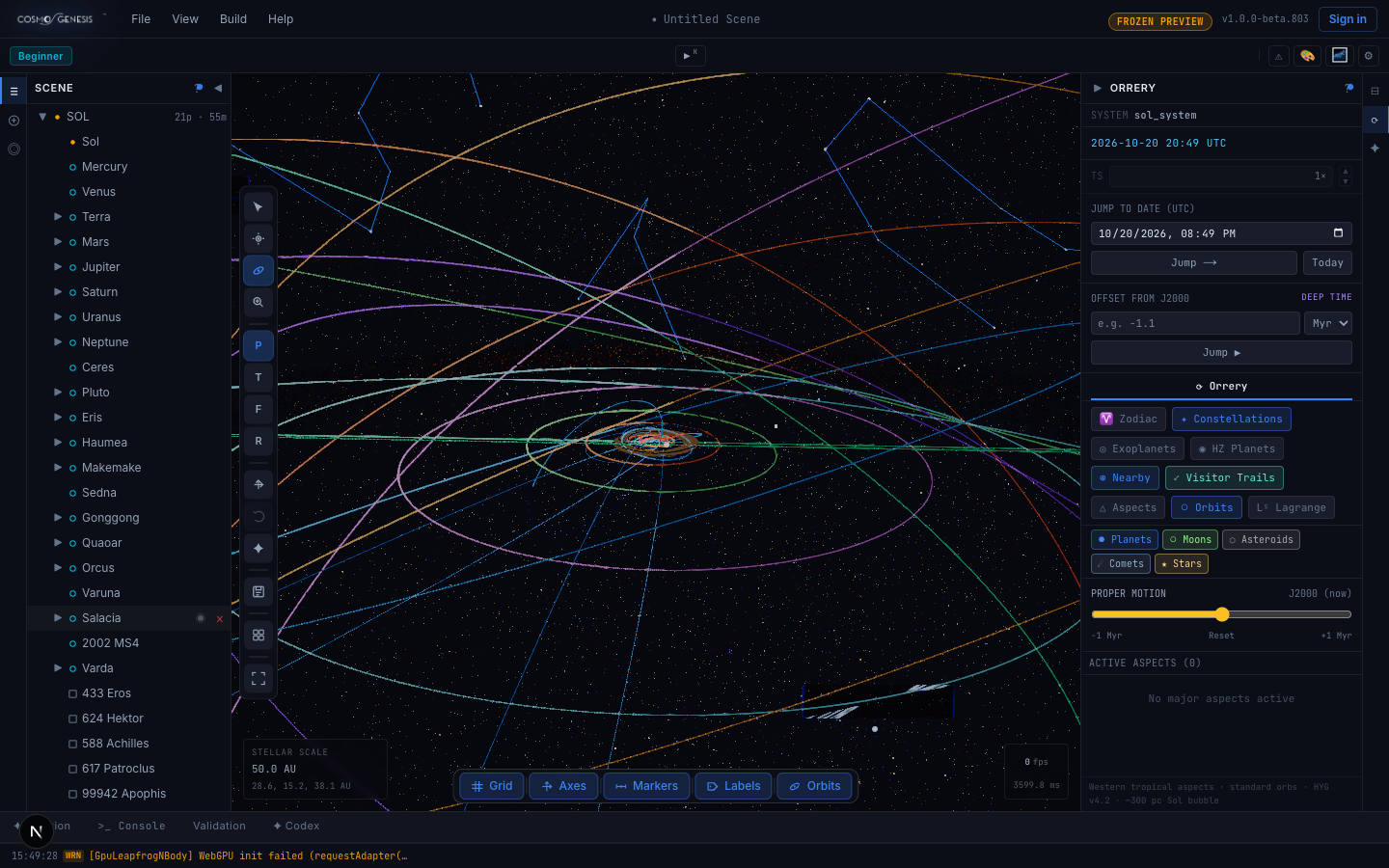
What you should see. Sol appears in the Scene list with the Sun and its planets under it, orbit lines fill the view, and the Orrery panel opens on the right with the current date and time in UTC.
Stop 2 of 3
Change the date
No account needed
- In the Orrery panel, find Jump to date (UTC).
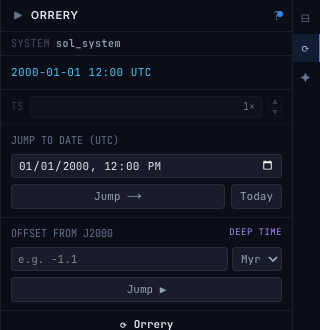
- Choose a date and a time, for example 1 January 2000 at 12:00 PM, then choose Jump.
- Choose Today to return to the present moment.
- To go much further, type -1.1 under Offset from J2000, leave the unit on Myr (millions of years), and choose Jump.
What you should see. The date at the top of the panel changes to the one you chose, such as 2000-01-01 12:00 UTC. Today brings it back to now. A far jump shows the offset instead of a calendar date, such as T-1.1 Myr. Planets are small at the default zoom, so the date readout is the clearest sign the jump worked.
Stop 3 of 3
See what the data comes from
No account needed
- Scroll to the foot of the Orrery panel.
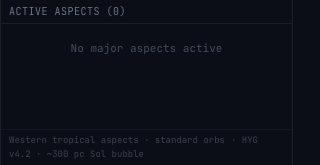
- Read the small print under Active aspects.
What you should see. It names the star data: the HYG star catalogue, version 4.2, and labels the region around the Sun a bubble of about 300 parsecs. The label undersells the data: the catalogue's stars reach out to about 990 parsecs, roughly 3,230 light years. The planets and other bodies are placed from published orbital data and moved along their orbits to the date you chose. The panel does not name a source for those orbits.
At the end you have
Our solar system open in front of you, set to a date you picked, and a clear idea of what the positions are built from and what the workspace does and does not say about its sources.
More guides are being planned. The roadmap says what is here and what is on the way.